Introduction
Pigments produce color by absorbing part of the incident spectrum and returning the remaining wavelengths. Precious opal, on the other hand, produces play of color through nanoscale structure. This mechanism is called structural coloration.
The way this works is opal contains a periodic refractive-index structure that forms a natural photonic crystal. Its period is comparable to visible wavelengths, which allows the structure to select specific wavelengths of reflected light.
The same process occurs in other biological materials such as the nanoscale ridges on Morpho butterfly scales, which produce an intense blue reflection. Similarly, ordered structures inside peacock feather barbules produce angle-dependent color.
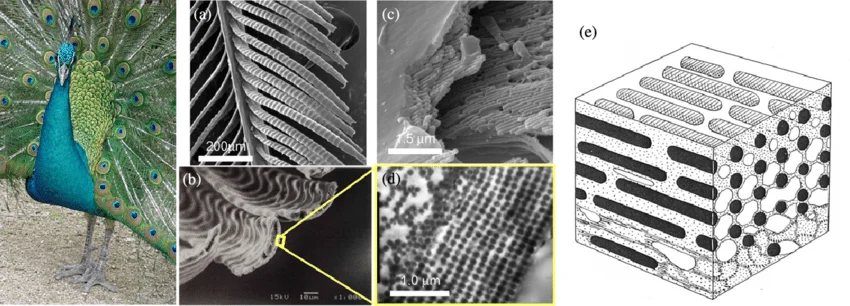
Peacock (Indian peafowl). SEM images of (a) barbules, (b) the cross section and (c) interior of a barbule. (d) TEM image of the cross section of a barbule [112]. (e) Schematic illustration of a 2D photonic crystal in a peacock barbule (reproduced from [111] with permission).
In each instance, nanoscale periodic geometry modifies the reflected spectrum as the geometry or viewing angle changes.
The blue comes from tiny ridges and air gaps on the wing scales. Those layers select wavelengths by shape and spacing, much like the silica lattice in opal.
A feather barbule has ordered melanin and keratin structures. As the feather turns, the spacing changes which wavelengths reinforce and which ones fade.
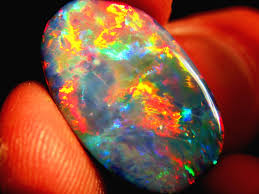
Let’s look more closely at what this looks like in opal. Generally, the types of opals are separated by the structure of their colored patches and the mostly water-filled body that surrounds those patches. Stones with a deeper color produce more intense flashes, milky stones possess a softer appearance and fire opals have a combination of high color saturation body and ordered domains, producing a fiery golden resplendence.
 stone
stone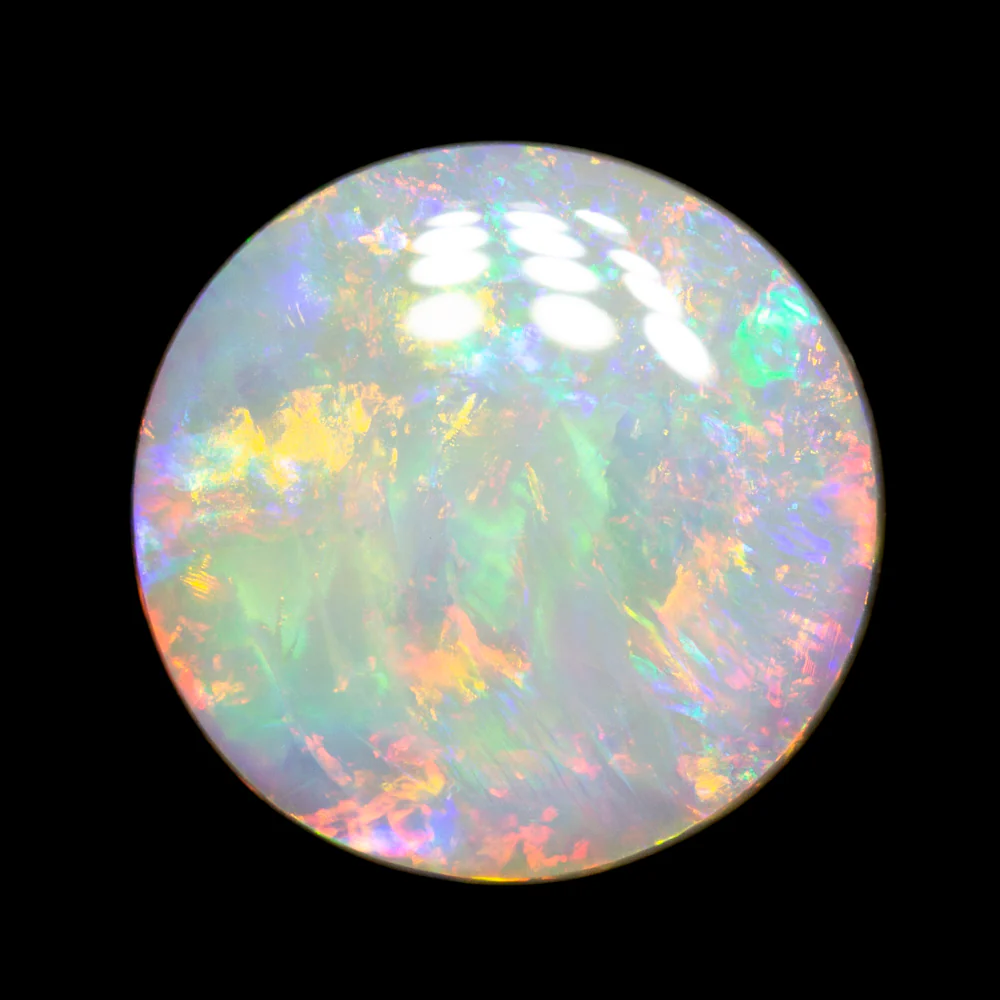 stone
stone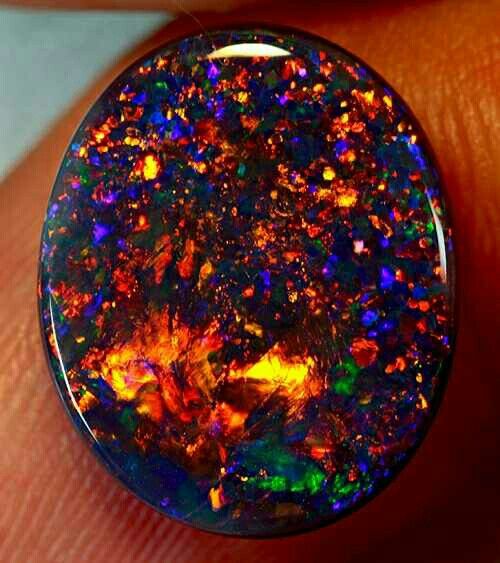 stone
stone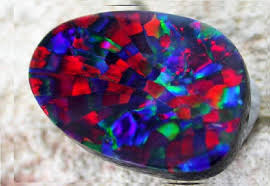 stone
stoneSilica Spheres
To understand how this color comes about, we must work our way from the very bottom of the scale ladder, and start with the molecules that make up opals. Because it is the chemical reactions of those very molecules, within various external conditions and time scales, that produce the wide variety of appearances we’ve just looked at.
An opal begins with silica-rich water moving through cracks in rock. Over geological time, the silica settles into spheres approximately 150 to 300 nanometers in diameter, a range comparable to visible wavelengths.
The 150 to 300 nanometer diameter range sets lattice-plane spacings that can produce first-order Bragg reflection within the visible spectrum. Changes in sphere diameter change the plane spacing and shift the reinforced wavelength.
Microscopy
These field emission SEM images from Okudera and Takeda show natural precious opal at the relevant scale: pores left by packed silica spheres, and a fractured wall where distorted spheres show along a crack.
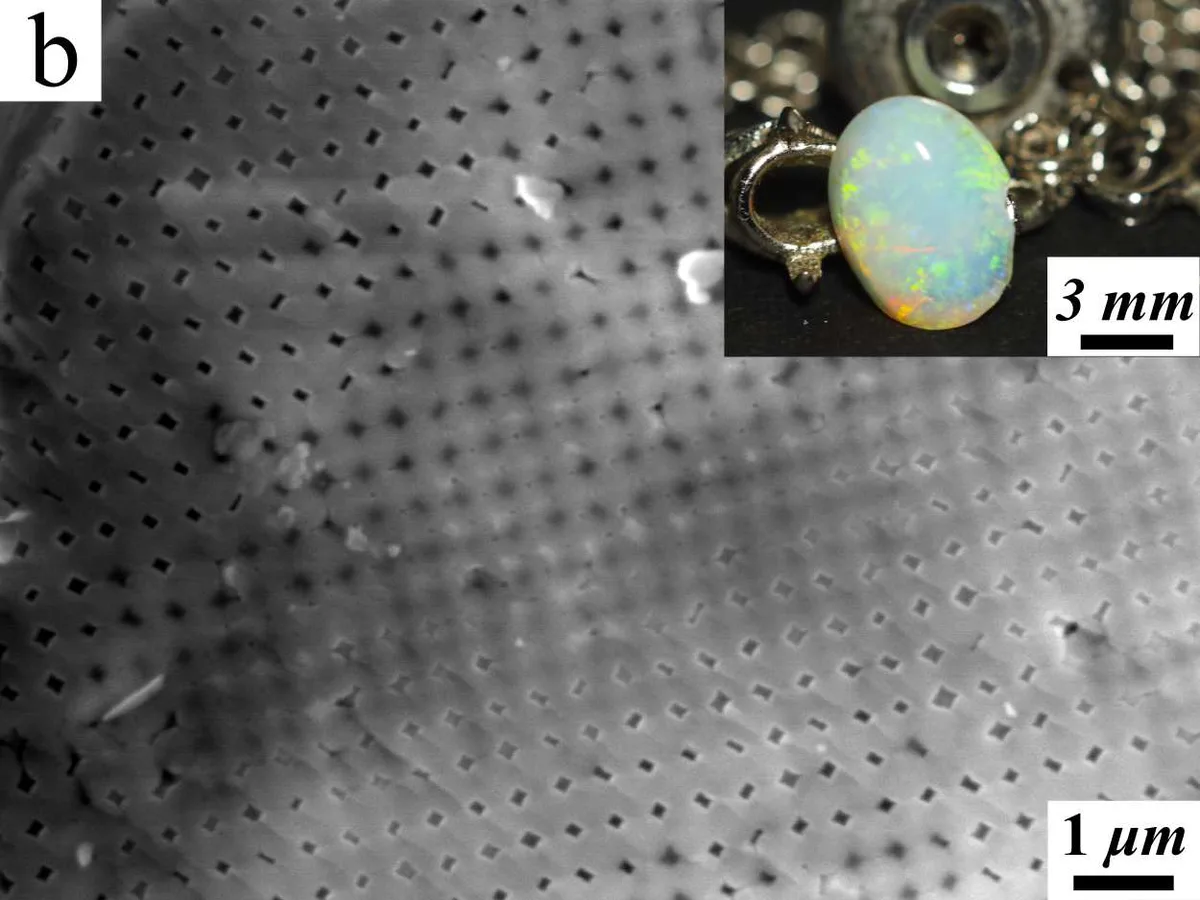
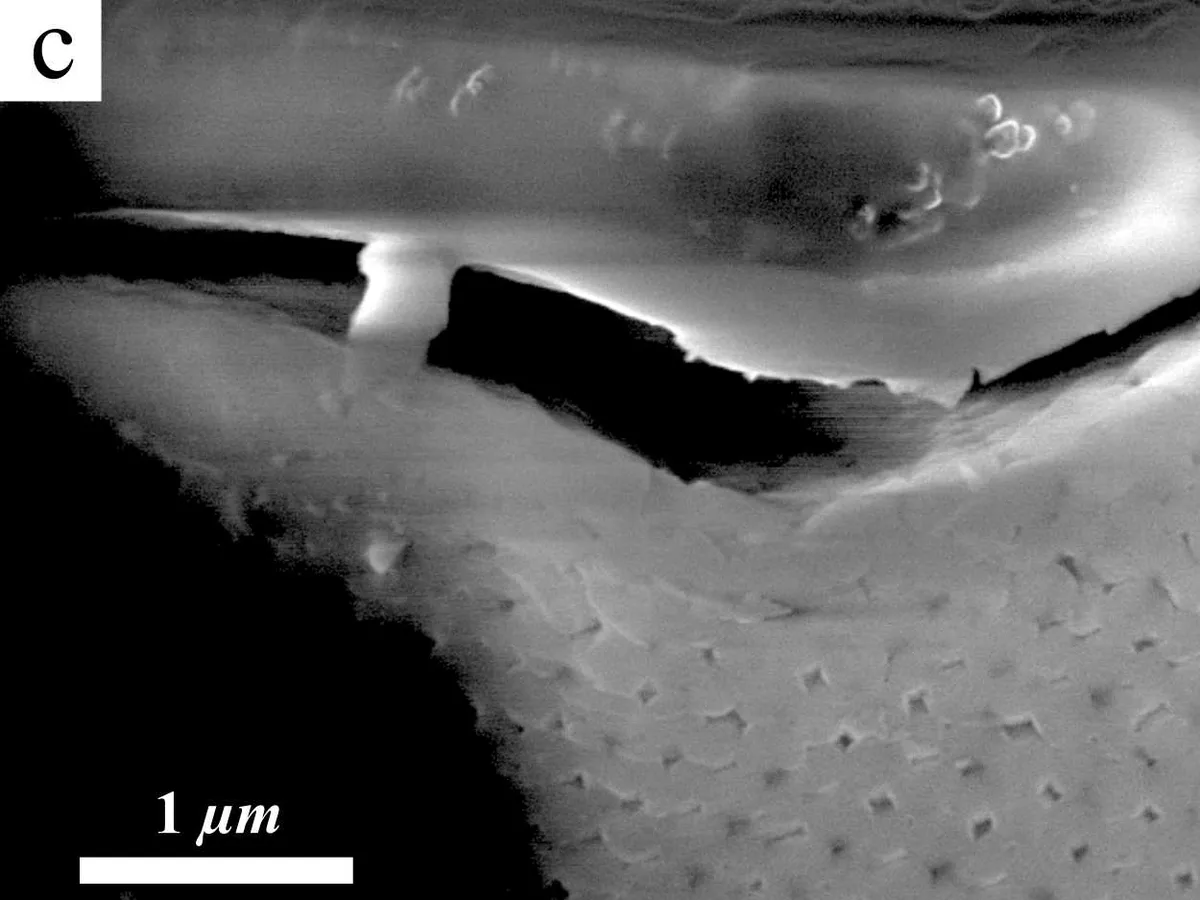
Natural precious opal under field emission SEM. First panel: regular pore pattern in an Australian sedimentary precious opal. Second panel: a fractured wall where packed silica spheres become visible along a crack. Panels adapted from Okudera and Takeda, CC BY 4.0.
Sphere Packing
Close Packing
The silica spheres self assemble into close packed domains, where each sphere sits tightly among its neighbors. In a simplified model, that packing forms a face centered cubic lattice. If the sphere diameter is , the conventional FCC cube has side length :
That relationship connects the sphere diameter to a measurable lattice.
R. Buckminster Fuller’s Synergetics was reference material for the packing sketches.
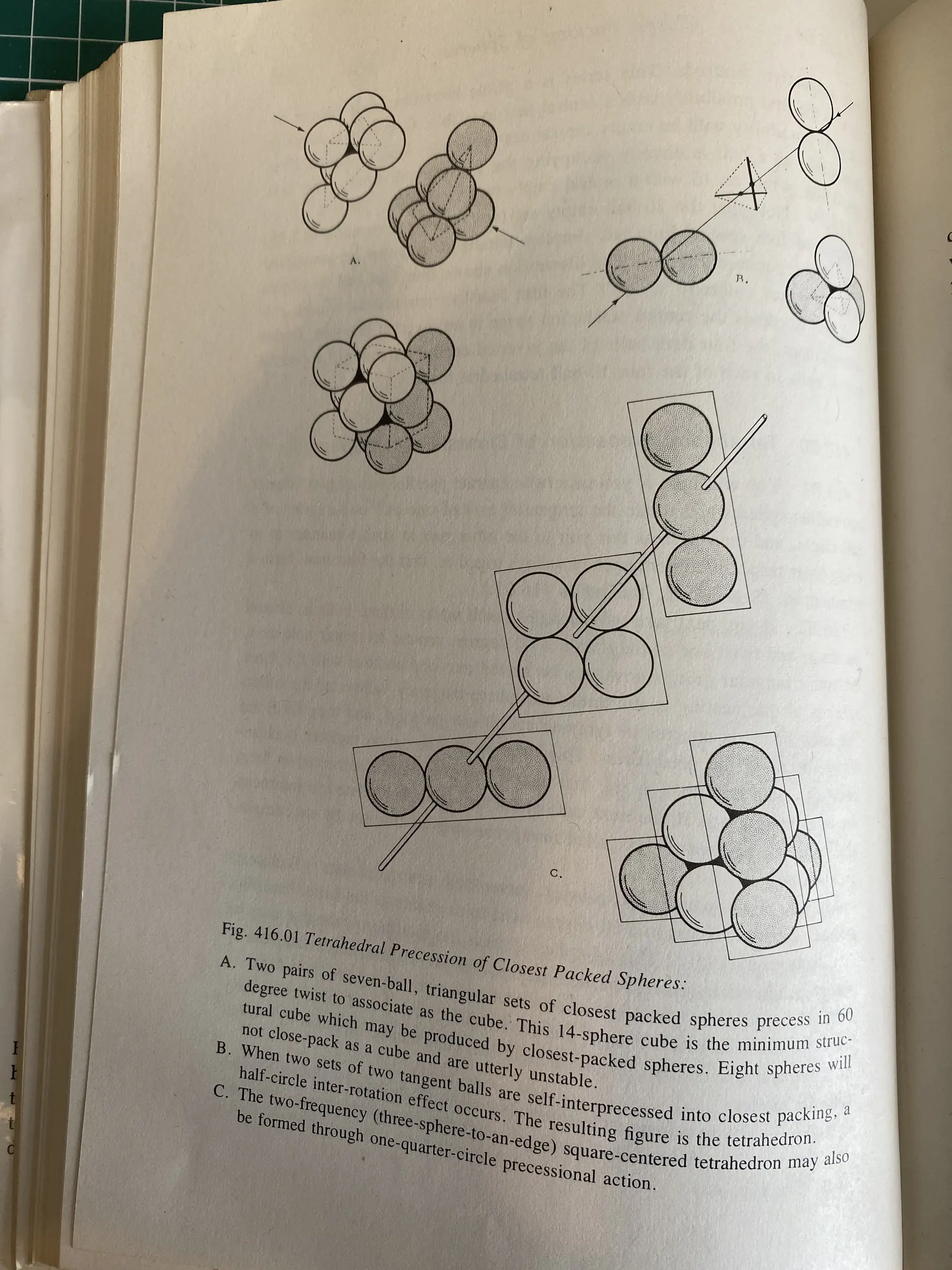
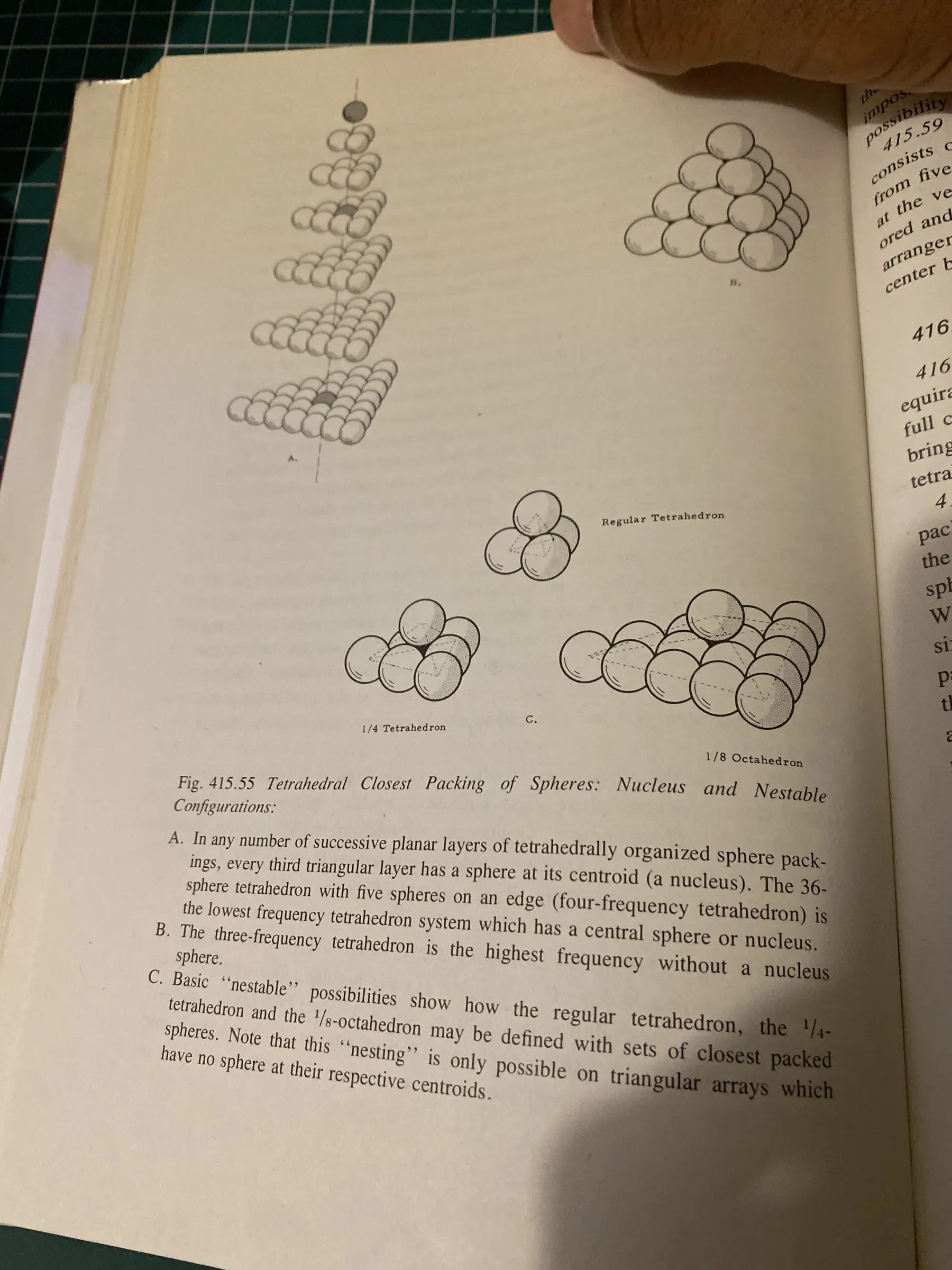
My photos of Fuller’s sphere packing figures in Synergetics. First: Fig. 416.01, “Tetrahedral Precession of Closest Packed Spheres.” Second: Fig. 415.55, “Tetrahedral Closest Packing of Spheres: Nucleus and Nestable Configurations.”
Domains
A real opal contains many ordered domains, each with its own orientation. The slab view shows the layered cross-section. The domain view separates the stone into patches.
Lattice Planes
Miller Indices
Once the spheres are packed together, you can look at them as lattice planes. Different sets of planes cut through the structure at different angles, and each set has its own spacing. Crystallographers name each family of parallel planes with Miller indices : three integers , , that encode the family’s orientation in the lattice. For a cubic lattice with side length , the family has spacing :
So for the close packed planes in the diagram, the spacing becomes:
The plane spacing selects the reinforced wavelength. Reducing shifts the reflection toward shorter wavelengths; increasing shifts it toward longer wavelengths. Variation in crystal-domain orientation produces different Bragg angles across the stone and generates spatially varied play of color.
Plane Spacing
Tilt a stone and one patch suddenly brightens, holds its color for a moment, then fades as the angle keeps moving. That glint is the flash, and the video below shows it on a real stone.
Opal play of color recorded as the stone moves relative to the camera. Source: K-Gems Studio.
Bragg Diffraction
The physics behind the flash is Bragg diffraction. Light reflects from many layers inside the opal. At most wavelengths, those reflections cancel each other out, but at the right wavelength and angle, they line up and reinforce each other. The spacing from the previous section sets which wavelength survives, through Bragg’s law:
Here is the wavelength of the reflected light, is the plane spacing from the previous section, is the effective refractive index of the opal structure, is the Bragg angle between the lattice plane and the viewing direction inside this simplified slab, and is the diffraction order: the whole number of wavelengths that fit into the extra path between neighboring planes. The interactive diagram uses , which is the first bright reflection.
Angle Dependence
The same patch, or region of uniform orientation, can move through different colors when the viewing angle changes.
In the diagram, is drawn as the acute angle between the reflected ray and the selected lattice plane, the same Bragg angle that enters the law above.
Rendering
Path Tracer
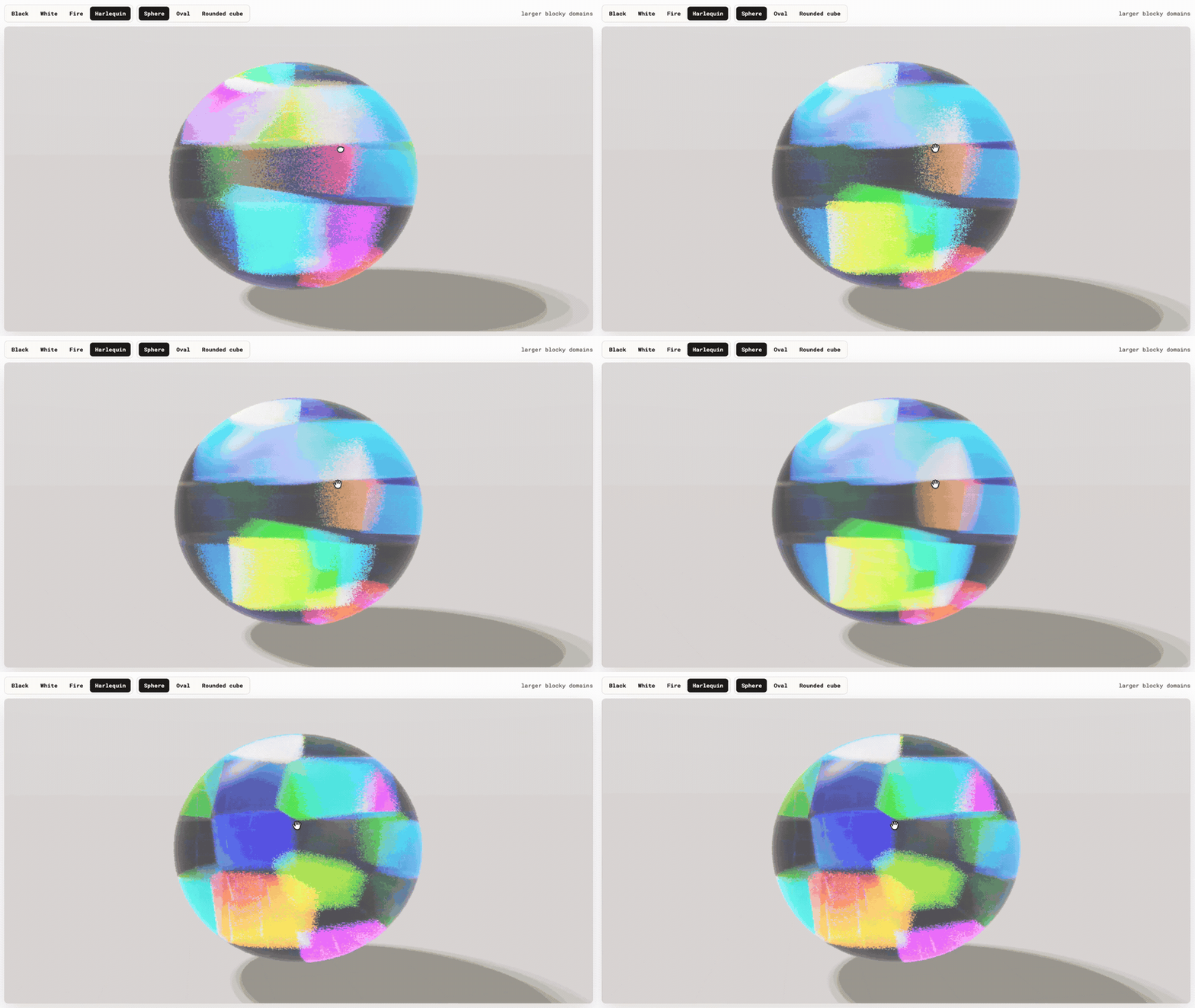
The embedded renderer uses the same path-tracing method with a reduced Monte Carlo sample budget, fewer color regions, and a studio light with floor shadows. Its primary controls set opal type and body shape. Additional controls set domain size, growth, grid order, preferred tilt, absorption, flash strength, spectral color, and sample budget.
Rendering Iterations
The first versions were simple domain patterns on a sphere. They had the idea of patches, but the patches looked painted on. Then I tried sharper boundaries, random orientations, and stacked layers to create a sense of depth. Each version fixed one problem and made another one obvious.
The small breakthrough occurred when I stopped looking at opals as textures applied to mesh. In an opal, the color inside each patch changes because the viewing angle changes across the surface. A flat color per patch cannot capture that, so the renderer had to follow rays through the structure and let the color come from the geometry.
The explanatory diagram uses Bragg’s law as a direct prediction:
The renderer turns the same idea into a sampling problem. At a domain boundary, a ray with incoming direction tests a small set of reciprocal lattice vectors . Each candidate gives a possible outgoing direction:
where is the grain orientation. A candidate matters when is close to , which means the scattered ray is physically plausible for that wavelength and crystal orientation. I weight those candidates with a narrow diffraction lobe of width and a simple multi-layer reflection term :
Each pixel accumulates wavelength samples in CIE XYZ color space, where is the path throughput of sample and is the color matching function:
In plain pseudocode, the renderer is doing this:
for each animation frame:
    if the camera moved:
        clear accumulation

    for each pixel:
        jitter pixel
        lambda = random(380 nm, 780 nm)
        ray = camera ray(pixel)
        xyz = trace(ray, lambda)

        when the ray enters an ordered grain:
            test lattice directions
            sample one diffraction event

        accum[pixel] = running average(xyz)

    display(accum as sRGB)
In JavaScript, the loop is short:
function animate() {
  requestAnimationFrame(animate);
  controls.update();

  if (camMoved(lastCamMat, cam.matrixWorldInverse)) {
    lastCamMat.copy(cam.matrixWorldInverse);
    resetAccum();
  }

  ptMat.uniforms.uCamInvProj.value.copy(cam.projectionMatrixInverse);
  ptMat.uniforms.uCamInvView.value.copy(cam.matrixWorld);
  ptMat.uniforms.uCamPos.value.copy(cam.position);
  ptMat.uniforms.uFrame.value = sampleCount;
  ptMat.uniforms.uSampleCount.value = sampleCount;
  ptMat.uniforms.uAccum.value = accumTarget[0].texture;

  renderer.setRenderTarget(accumTarget[1]);
  renderer.render(fsScene, fsCam);
  [accumTarget[0], accumTarget[1]] = [accumTarget[1], accumTarget[0]];
  sampleCount++;

  displayMat.uniforms.uAccum.value = accumTarget[0].texture;
  renderer.setRenderTarget(null);
  renderer.render(displayScene, fsCam);
}
Inside the fragment shader, each frame contributes one noisy spectral sample. The smoothness of the final fragment color is achieved by averaging the current sample into the previous accumulation buffer:
void main() {
  rngSeed(gl_FragCoord.xy, uFrame);

  vec2 jitter = vec2(rand(), rand()) - 0.5;
  vec2 ndc = (gl_FragCoord.xy + jitter) / uResolution * 2.0 - 1.0;
  vec4 cd = vec4(ndc, -1.0, 1.0);
  vec4 vd = uCamInvProj * cd;
  vd = vec4(vd.xy, -1.0, 0.0);
  vec3 rd = normalize((uCamInvView * vd).xyz);

  float lam = 380.0 + rand() * 400.0;
  vec3 result = trace(uCamPos, rd, lam);
  result *= wl2xyz(lam) * (400.0 / 105.4);

  vec4 prev = texture2D(uAccum, vUv);
  gl_FragColor = vec4(
    (prev.rgb * uSampleCount + result) / (uSampleCount + 1.0),
    1.0
  );
}
Color Space
A glass shell made the edge flare at grazing viewing angles, so I removed it. Some sampling changes made the render cleaner but flattened the color, so I went back to simpler stochastic sampling.
A persistent pink cast came from an incorrect color-space conversion. The renderer mixed values that should have remained linear until display, which shifted the final image during conversion to sRGB.
Citation
If you cite or reuse this project, please cite the article and the renderer:
@misc{sumo_opals_photonic_crystals_2026,
  author = {Sumo, Armand},
  title = {Opals as Photonic Crystals},
  year = {2026},
  month = {May},
  url = {https://armandsumo.com/posts/opals/},
  note = {Interactive article}
}

@software{sumo_opal_path_tracer_2026,
  author = {Sumo, Armand},
  title = {Opal Path Tracer},
  year = {2026},
  url = {https://github.com/a-sumo/opal-pathtracer},
  license = {MIT}
}
References
R. Buckminster Fuller, with E. J. Applewhite, Synergetics; Explorations in the Geometry of Thinking, Macmillan, 1975.
J. V. Sanders, “Colour of Precious Opal”, Nature 204, pages 1151 to 1153, 1964.
S. Kinoshita, S. Yoshioka, and J. Miyazaki, “Physics of Structural Colors”, Reports on Progress in Physics 71, article 076401, 2008.
Anthony G. Smallwood, “35 Years On: A New Look at Synthetic Opal”, Australian Gemmologist 21, pages 438 to 447, 2003.
Hiroki Okudera and Tetsuyoshi Takeda, “Origin of precious opal revisited: Possible quick formation of precious opal”, Research Square preprint, 2021, licensed under CC BY 4.0.
Gemological Institute of America, “Structures Behind the Spectacle: A Review of Optical Effects in Phenomenal Gemstones and Their Underlying Nanotextures”, Gems & Gemology, 2025.
James T. Kajiya, “The Rendering Equation”, SIGGRAPH Computer Graphics 20, pages 143 to 150, 1986.
Matt Pharr, Wenzel Jakob, and Greg Humphreys, Physically Based Rendering: From Theory to Implementation, 4th edition online, 2023.
The public path tracer repository is here: github.com/a-sumo/opal-pathtracer.
Up Next
Part II will document the companion Spectacles application, including its scene architecture, spatial layout, interaction design, rendering constraints, and use of the physical models developed in Part I.